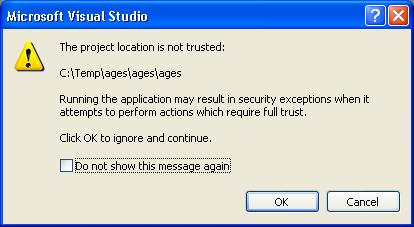
The following are sample VB.Net programs. Each program is included with the full folder for the project in a single zip file. To run the programs or edit them you must do the following:
| |
Files
(click zip file to download or
click .vb file to view the code) |
Screen Shots
(click on a picture to see a larger copy) |
Description |
Topics |
| 1 |
|
|
Program demonstrates User Interface with labels, textboxes and buttons. There is no "code" for the program. |
- Creating textboxes, labels and buttons (no code)
|
| 2 |
|
|
Program displays a message when user clicks a button |
- MessageBox.Show
- setting properties of a Button (e.g. color)
|
| 2b |
|
|
Program uses a menu to display the message Hello World in a label in either English/French/Spanish. Also uses radio buttons to change the colors of the label. |
- menus
- radio buttons
- programatically setting properties of a Label (e.g. color)
|
| 3 |
|
|
Text properties of a button, label and textbox change when another button
is clicked. Also a "TextChanged" event handler notifies the user
when the text in a textbox is changed. The event handler will fire both when
the text is changed automatically by the program and when the user types
characters in the textbox. |
- Changing property values at runtime.
- TextChanged event
|
| 4 |
|
|
User enters length and width of a rectangle and pushes a button to calculate the perimeter and the area. |
- TextChanged event
- Val
- accessing text property of textboxes and labels
|
| 5 |
|
|
User enters his age. Program determines if he can vote or eat ice cream. |
- Integer.Parse
- If with an Else
|
| 6 |
|
|
User enters a number and program determines if the number is positive and/or even |
- Integer.Parse
- Mod operator (used to determine if a number is even)
- Separate If staements - not nested and without Else clauses
|
| 7 |
|
|
User enters a month and program displays the number of days in the month |
- Select Case
- ToLower method of a String object
|
| 8 |
|
|
Program "draws" a picture of boxes made out of the letter "x". |
- Nested For Loops (4 deep)
|
| 9 |
|
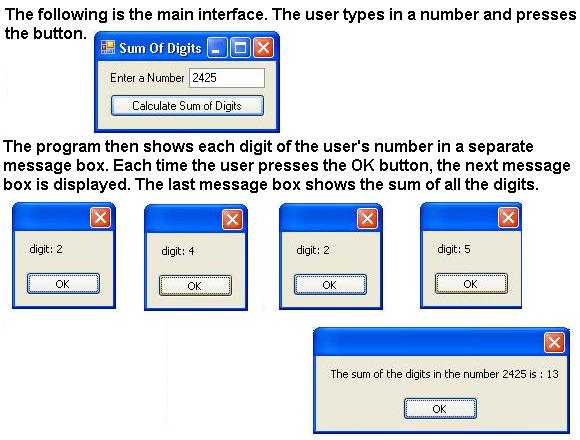 |
Computes the sum of the digits in a number (e.g. the sum of the digits in the number
1322 is 8). |
- For loop
- String.substring(position,length)
- String.length
|
| 10 |
|
|
Console appliation. Asks the user to enter a list of numbers. Program redisplays the numbers and finds the largest number in the list. |
- Console application
- Declaring arrays, eg. Dim myarray(100) as Integer
- Loop through array elements
- Passing an array to a ByVal parameter
|
| 11 |
|
|
Draw a line using a 2d array. |
|
| 11 |
|
|
Draw a line using a 2d array. |
|
| 12 |
|
|
Draw a line using a 2d array. |
|